Follow along with the video below to see how to install our site as a web app on your home screen.
Note: This feature may not be available in some browsers.
The APS Catalog has been deprecated and removed from all Plesk Obsidian versions. Applications already installed from the APS Catalog will continue working. However, Plesk will no longer provide support for APS applications.
Please be aware: with the Plesk Obsidian 18.0.78 release, the support for the ngx_pagespeed.so module will be deprecated and removed from the sw-nginx package.
I see on a lot of blogs/FAQ's that I should beside the "Add domain" and "Add Subdomain" buttons inside the Customer Panel. But that options is not there.
I enabled unlimeted Domain Aliases inside the Service Plan.
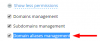
pls. make sure, that the depending domain is synched with a service plan, where the "Domain aliases management" is allowed. You can see this option at "Home > Service Plans > Hosting Plans > YOUR-CHOOSEN-SERVICEPLAN-FOR-THE-SPECIFIC-DOMAIN":