Follow along with the video below to see how to install our site as a web app on your home screen.
Note: This feature may not be available in some browsers.
The APS Catalog has been deprecated and removed from all Plesk Obsidian versions. Applications already installed from the APS Catalog will continue working. However, Plesk will no longer provide support for APS applications.
Please be aware: with the Plesk Obsidian 18.0.78 release, the support for the ngx_pagespeed.so module will be deprecated and removed from the sw-nginx package.
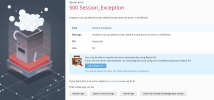
The locale which had been previously chosen as a default was unregistered from the Plesk database during a Plesk upgrade.
Try to fix it with the following steps:
Set the locale en-US as default:
Code:
# plesk bin server_pref --set-default -locale en-US
# plesk bin admin -u -locale en-US
Reinstall Plesk updates:
Code:
# plesk installer update --repatch
Log in to Plesk and set a required locale at Tools & Settings > Languages.