• The APS Catalog has been deprecated and removed from all Plesk Obsidian versions.
    Applications already installed from the APS Catalog will continue working. However, Plesk will no longer provide support for APS applications.
  • Please be aware: with the Plesk Obsidian 18.0.78 release, the support for the ngx_pagespeed.so module will be deprecated and removed from the sw-nginx package.

ERROR: PleskFatalException: StatInfo->getActiveDomainsNumber() failed:

Install Postfix mailserver, at least, with

# plesk installer --select-release-current --install-component postfix
 
Installed successfully but now there is none of icons in plesk with error:
Unable to read components configuration from the service node: sh: /usr/local/psa/admin/bin/packagemng: Permission denied

I tried to stopall and restart and had following results:
# service psa stopall
Stopping tomcat service... not installed
Stopping apache service... done
Stopping virusfilter service... not installed
Stopping spamfilter service... done
Stopping mailer service... done
Stopping named service... WARNING: key file (/etc/rndc.key) exists, but using default configuration file (/etc/rndc.conf)
done
Stopping mysql service... done
Stopping sw_cp_server service... done
Stopping sw_engine service... done
[root@centos psa]# service psa start
Starting sw_engine service... done
Starting sw_cp_server service... done
Starting mysql service... already started
Starting named service... WARNING: key file (/etc/rndc.key) exists, but using default configuration file (/etc/rndc.conf)
rndc: connect failed: 127.0.0.1#953: connection refused
done
Starting mailer service... done
Starting spamfilter service... done
Starting tomcat service... not installed
Starting apache service... done
Starting superserver service... already started
Starting sw_engine service... already started
Starting drweb service... already started
[root@centos psa]#
 
Permission denied msg is set with this command:
chmod 4777 /usr/local/psa/admin/sbin/wrapper

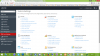
and now I can see all icons in plesk but original problem not yet fixed

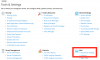
Here is my "Tools & Settings" screenshot http://prnt.sc/b2o0jz
 

Attachments

  • upload_2016-5-11_11-29-5.png
    upload_2016-5-11_11-29-5.png
    259.4 KB · Views: 3
Permission denied msg is set with this command:
chmod 4777 /usr/local/psa/admin/sbin/wrapper

and now I can see all icons in plesk but original problem not yet fixed

Here is my "Tools & Settings" screenshot http://prnt.sc/b2o0jz
 
What about postfix status in Server Components and Services Management?
 
[root@centos ~]# /usr/local/psa/admin/sbin/mail_handlers_control --list
.---.---.-------.--------------------------------------.-----------------.------------------.-----------------.
| E | P | prior | address | name | type | queue |
|---|---|-------|--------------------------------------|-----------------|------------------|-----------------|
| | | 10 | all | spf | global | before-queue |
| X | | 10 | all-recipients | check-quota | global | before-queue |
| X | | 10 | all-recipients | check-quota | global | before-sendmail |
'---'---'-------'--------------------------------------'-----------------'------------------'-----------------'
[root@centos ~]# tail /usr/local/psa/var/log/maillog | grep qmail-queue-handlers
[root@centos ~]# tail /usr/local/psa/var/log/maillog | grep qmail-queue-handlers
[root@centos ~]# /usr/local/psa/admin/sbin/mchk --without-spam
==> Checking for: mailsrv_conf_init... ok
==> Checking for: mail_handlers_init... ok
==> Checking for: mailsrv_entities_dump... ok
==> Checking for: mail_admin_aliases... ok
==> Checking for: mail_auth_dump... fail
==> Checking for: mailman_lists_dump... ok
==> Checking for: mail_kav8_restore... ok
==> Checking for: mail_responder_restore... ok
==> Checking for: mail_imap_restore... fail
==> Checking for: mail_grey_restore... ok
==> Checking for: mail_mailbox_restore... ok
==> Checking for: mail_spf_restore... ok
==> Checking for: mail_dk_restore... ok
==> Checking for: mail_drweb_restore... ok
==> Checking for: mail_outgoing_restore... fail
==> Checking for: mail_transport_restore... fail
Errors occured in mail restore procedure
Some utilities have exited with errors:
/usr/lib64/plesk-9.0:/usr/lib64/plesk-9.0/remote_mail_restore:/usr/local/psa/admin/sbin
[root@centos ~]#
 
None of the solution worked. This is second day all emails are down and 65 users sending me hard talk mails

May I uninstall Plesk and re-install it?
 
Back
Top