
 Facebook
 Twitter
I'm currently using PHP 5.5.38 (FPM served by Apache)
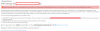
I added max_input_vars = 30000 to the additional configuration directives box, however when saving the PHP settings i get the error:
PHP will then not function until the server reboots, however once the server reboots the settings have been saved and then function as intended.
OS: Ubuntu 16.04.1 LTS
Product: Plesk Onyx 17.0.17 Update #12
I added max_input_vars = 30000 to the additional configuration directives box, however when saving the PHP settings i get the error:
Error: phpinimng failed: Job for plesk-php55-fpm.service failed. See "systemctl status plesk-php55-fpm.service" and "journalctl -xe" for details. Failed to start plesk-php55-fpm service
PHP will then not function until the server reboots, however once the server reboots the settings have been saved and then function as intended.
OS: Ubuntu 16.04.1 LTS
Product: Plesk Onyx 17.0.17 Update #12


