Facebook
 Twitter
Azurel
Silver Pleskian
User name: Azurel
TITLE
Filter in Manage Log Files not working
PRODUCT, VERSION, OPERATING SYSTEM, ARCHITECTURE
CentOS Linux 8.2.2004, Plesk Obsidian Version 18.0.29 Update #2
PROBLEM DESCRIPTION
1. IP Filter not working
2. Field of date to small
STEPS TO REPRODUCE
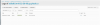
See image

ACTUAL RESULT
In GUI no items found.
In shell the access_ssl_log have many results.
Field of datetime is to small
EXPECTED RESULT
Filter in GUI should give results.
ANY ADDITIONAL INFORMATION
YOUR EXPECTATIONS FROM PLESK SERVICE TEAM
Confirm bug
TITLE
Filter in Manage Log Files not working
PRODUCT, VERSION, OPERATING SYSTEM, ARCHITECTURE
CentOS Linux 8.2.2004, Plesk Obsidian Version 18.0.29 Update #2
PROBLEM DESCRIPTION
1. IP Filter not working
2. Field of date to small
STEPS TO REPRODUCE
See image
ACTUAL RESULT
In GUI no items found.
In shell the access_ssl_log have many results.
Field of datetime is to small
EXPECTED RESULT
Filter in GUI should give results.
ANY ADDITIONAL INFORMATION
YOUR EXPECTATIONS FROM PLESK SERVICE TEAM
Confirm bug