Facebook
 Twitter
Hi, I use Plesk Osidian on CentOS 7 in a cloud environment (Ionos). I've change the disk size from 40Gb to 60GB, but Plesk doesn't reflect the change.
with cfdisk I get the following:
Name Flags Part Type FS Type [Label] Size (MB)
------------------------------------------------------------------------------
Pri/Log Free Space 1.05
sda1 Boot Primary xfs 536.88
sda2 Primary LVM2_member 62362.09*
Pri/Log Free Space 1524.51*
But in CentOS I still see a disk size of 38358 MB

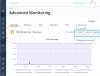
Restart does not solve the issue. I found an article, that I should click on Server Management » Health Monitoring » Detect Hardware Changes. But I don't have a menu point "Health Monitoring" . I use the the new "Advanced Monitoring extension". Don't know if that's the reason, why I don't see "Health Monitoring"?
Any advice? Many thanks!
with cfdisk I get the following:
Name Flags Part Type FS Type [Label] Size (MB)
------------------------------------------------------------------------------
Pri/Log Free Space 1.05
sda1 Boot Primary xfs 536.88
sda2 Primary LVM2_member 62362.09*
Pri/Log Free Space 1524.51*
But in CentOS I still see a disk size of 38358 MB
Restart does not solve the issue. I found an article, that I should click on Server Management » Health Monitoring » Detect Hardware Changes. But I don't have a menu point "Health Monitoring" . I use the the new "Advanced Monitoring extension". Don't know if that's the reason, why I don't see "Health Monitoring"?
Any advice? Many thanks!