Follow along with the video below to see how to install our site as a web app on your home screen.
Note: This feature may not be available in some browsers.
We value your experience with Plesk during 2025 Plesk strives to perform even better in 2026. To help us improve further, please answer a few questions about your experience with Plesk Obsidian 2025. Please take this short survey: https://survey.webpros.com/
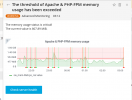
i always suffering from this repeated high memory usage of apache & php-fpm module, even i upgraded my vps to 8 Gb RAM but the same happened everyday, and i only host 3 domains on ( 4 cores Xeon v4 - 8 Gb RAM ).
So could you recommend me any solution
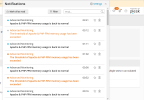
The memory usage does not seem to be a big issue, but the threshold is very low. It seems to be somewhere around 800 MB? Maybe you can increase the warning threshold to 2 GB. This can be done with the "Settings" icon (the gear icon) the the Grafana extension.
Monitoring (former Advanced Monitoring) helps to keep your Plesk running smoothly by tracking the server resource usage and notifying you when one or more resource usage reaches a predefined threshold.
docs.plesk.com
Another option would be to analyze your PHP scripts to find out if and why they are consuming a lot of RAM.
Question How to display hardware changes in Advanced Monitoring (Grafana) in Plesk Obsidian? In Plesk Onyx there was an option "Detect hardware changes". Answer Advanced Monitoring extension autom...