• The APS Catalog has been deprecated and removed from all Plesk Obsidian versions.
    Applications already installed from the APS Catalog will continue working. However, Plesk will no longer provide support for APS applications.
  • Please be aware: with the Plesk Obsidian 18.0.78 release, the support for the ngx_pagespeed.so module will be deprecated and removed from the sw-nginx package.

Horde 5.0.4:"Failed to set sender [email protected] SMTP Failed to write to socket"

If the upgrade passed without errors I can suppose that you have some problem with connecting to SMTP service running by local MailEnable. There might some reason for that:
1. Some connection settings in Horde to connect to SMTP server to send an email are changed from default ones. Solution: revert changes back to defaults.
2. MailEnable SMTP service is stopped. Solution: start MailEnable SMTP service.
3. Some other service is running on port 25. Find this service using command "netstat -aon | findstr 25". It shows the ID of the process and find this process. If this process is NOT MailEnable SMTP then stop this process and make step 2.
4. Some antivirus blocks connection to local port 25.
 
Hi Svetlana,

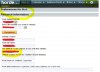
I have found the solution:

plesk error.jpg

How bizar! You have to fill in these settings and then it sends your mail in correct way. Strange that this is not filled in from standard.

Can you take this to a higher level at Plesk so that this will be fixed?

Thanks for your time en knowlegde.
 
Back
Top