• The APS Catalog has been deprecated and removed from all Plesk Obsidian versions.
    Applications already installed from the APS Catalog will continue working. However, Plesk will no longer provide support for APS applications.
  • Please be aware: with the Plesk Obsidian 18.0.78 release, the support for the ngx_pagespeed.so module will be deprecated and removed from the sw-nginx package.

Question How to parse error logs for a specific time period in Plesk?

Émerson Felinto

Regular Pleskian
Today at dawn my sites had a brief downtime. But I do not know a reliable way to know if the problem is in Plesk (configuration of apache, nginx and etc) or with the server (problems with the link).
The only information I got was the time the downtime happened. How can I use this to find the CAUSE of the problem?
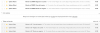
 

Attachments

  • Screenshot 2018-02-26 at 06.39.41.png
    Screenshot 2018-02-26 at 06.39.41.png
    62.9 KB · Views: 7
First of all, read carefully and create bookmark for this KB article Plesk for Linux services logs and configuration files
This page is awesome !!! I will integrate all these logs to my papertrail, this way could this problem occur again I can check the logs for a certain period of time =)

If you haven't, be sure to whitelist the IPs for the various Uptime Robot servers;
Locations and IPs | Uptime Robot
Currently my firewall is disabled and I do not see any problem that could indicate blocking the robots uptime servers, considering that the lock should be permanent and not sporadic ...
(OFF-TOPIC) I see here on your profile that you are "Plesk Certified Professional". How can I get a seal like that? ;-)

Thanks for the suggestions but they were very vague and inaccurate! Could you give me more suggestions on how I can find where this problem is specifically?
 
Back
Top