Follow along with the video below to see how to install our site as a web app on your home screen.
Note: This feature may not be available in some browsers.
We value your experience with Plesk during 2025 Plesk strives to perform even better in 2026. To help us improve further, please answer a few questions about your experience with Plesk Obsidian 2025. Please take this short survey: https://survey.webpros.com/
On Plesk for Linux mod_status is disabled on upgrades to improve Apache security. This is a one-time operation that occurs during an upgrade. You can manually enable mod_status later if needed.
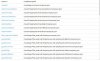
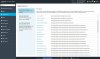
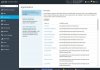
I clicked add applications a while ago in the "applications" section and since they I've got a lot of unknown applications in the list although only my Joomla websites should be there.
Ist there any way to get rid of the unknown applications?
no ideas?
I got all this useless applications in the list by using the "browse" function but I haven't found a way to get rid of them.
Just need my Joomla sites in that list but they are on page 2.
I guess this list is somewhere in the PLESK database buit where?
If you talk about the Application List from Plesk, you can try it this way:
Plesk Panel > Service Plans > select the Service Plan > Tab Applications > there you can select which Applications are available > update sync
the problem is that the listed "applications" are not really applications who can be installed through Plesk.
All of them are just some JSON files on the server who have been found after I did that stupid "find application".
There is no possibility given in the frontend to remove these "applications".
Since I cannot access my Plesk from here I will provide a full screen screenshot when I get back home.