Facebook
 Twitter
- Server operating system version
- AlmaLinux 9
- Plesk version and microupdate number
- Obsidian
Situation: We have a bunch of generated public/private keys on our work machines. These machines use custom key generation via winSCP options.
I am coming from WHM ; which had a very easy to use and practical approach to setting and implementing SSH Keys for accessing accounts via SFTP. This allowed me to "paste" WinSCP keys into the WHM interface to save the public key to the server.
Plesk; however, it's a mess. Please help.
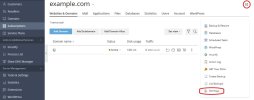
I have the app "Extension" that is the SSH Keys Manager. This tells me :
I have also read this article: https://support.plesk.com/hc/en-us/articles/12377591587863-How-to-set-up-SSH-keys-for-Plesk-server which is not helpful. This simply tells me how to generate a NEW key this is not about how to import a (public) key to the Plesk Server.
1) How do I import a public Key to the Plesk Server for a specific domain/account?
1b) It seems dangerous to store keys in the server wide `/root/.ssh/` folder. Typically elsewhere keys are stored on a per-account basis. Also how do I tell the system which keys are for which accounts?
2) How do I force Plesk to only accept SSH access via SFTP to that domain/account?
Thank you!
I am coming from WHM ; which had a very easy to use and practical approach to setting and implementing SSH Keys for accessing accounts via SFTP. This allowed me to "paste" WinSCP keys into the WHM interface to save the public key to the server.
Plesk; however, it's a mess. Please help.
I have the app "Extension" that is the SSH Keys Manager. This tells me :
- Open a subscription.
- Go to Web Hosting Access > Access to the server over SSH.
- Select /bin/sh and click OK.
I have also read this article: https://support.plesk.com/hc/en-us/articles/12377591587863-How-to-set-up-SSH-keys-for-Plesk-server which is not helpful. This simply tells me how to generate a NEW key this is not about how to import a (public) key to the Plesk Server.
1) How do I import a public Key to the Plesk Server for a specific domain/account?
1b) It seems dangerous to store keys in the server wide `/root/.ssh/` folder. Typically elsewhere keys are stored on a per-account basis. Also how do I tell the system which keys are for which accounts?
2) How do I force Plesk to only accept SSH access via SFTP to that domain/account?
Thank you!