• Debian 11 is approaching its end-of-life (vendor EOL date - August 31, 2026). Plesk Obsidian 18.0.80 will be the last release to support it.
    If you are running Plesk Obsidian on Debian 11, we recommend you upgrade those servers to Debian 12 using our dist-upgrade tool.
  • We plan to deprecate and remove the support for XML RPC protocol versions earlier than 1.6.9.1 in Plesk Obsidian 18.0.82. We strongly recommend that you update all existing integrations using earlier versions of the XML RPC protocol to comply with the version 1.6.9.1 specification.

Issue how to update Litespeed Extension

stevemartin

Basic Pleskian
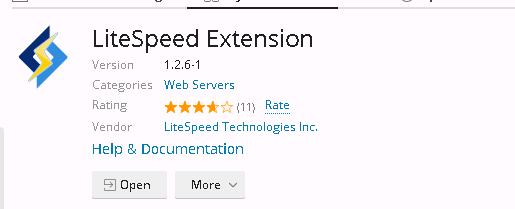
how to update Litespeed extension to latest version as i can see plesk is having old version and there no update it showing
my plesk version
df953a5b8adb2ac964c0dae10ffac351.png


and litespeed extension
18d4c5634084d3256477a89f85536bb8.png
 
any help please latest version extension i uploaded from litespeed website and its crashing while switching to litespeed from apache
 
1.4.1 (litespeed extension) seems to work fine but you have to download it and manually install it.
This newest version is not yet in the Plesk extensions catalogue.
download it here :

then install Panel.ini Editor in extension catalogue and apply the following code ;

[ext-catalog]
extensionUpload = true

this would make the "upload extension" button appear under Extensions > My Extensions

if you having crashing issues maybe best to uninstall litespeed and old extension and try again with 1.4.1

other useful links :
 
Back
Top