Facebook
 Twitter
Hello,
I trying to import a mysql database on Plesk Panel 11.5, but have no lucky.
I followed a few tutorials, but still cants access webadmin.
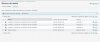
I Click on Websites & Domains > Databases > I create new database and user.
But I cant click on database name to open webadmin. The database name is a plain text, not a link like I saw on tutorial. Why?
Anyone can help me to solve it?
Best Regards
Akira