• Halloween is coming! To celebrate the occasion, we dusted off a couple of old skins, and even created a brand new one (Pixel).
    To get into the festive spirit, install the Skins extension.
  • The new Python extension is now available. It allows customers to deploy and manage WSGI-based Python applications on their websites directly from Plesk.
  • The Plesk Mobile apps for iOS and Android and the Plesk Mobile Center extension have been deprecated, and are no longer available for new installations. In Plesk Obsidian 18.0.84, the Plesk Mobile Center extension will be removed from servers during the upgrade, and the Plesk Mobile apps will lose their server management features.
  • The Social Login extension has been deprecated and will be removed in Plesk Obsidian 18.0.84. After that, it will no longer be possible to log in to Plesk with a Google, Facebook, GitHub account, or with a passkey. Plesk usernames and passwords, as well as logging in with a WebPros Account, are not affected.

Question Install docker image (RocketChat), on a domain / webhotel.

I have opened the firewall ports incoming/outgoing as advised.
I think that, @Hangover2 suggests to open the 27018 port because it is used in mongo DB config in manual port mapping.
But on your screenshot I see that you are using mapping 27017 -> 27017. In that case I think you need to open the 27017 port, not the 27018. Probably that's the reason of connection timeout.
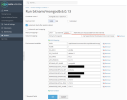
1729522205098.png
 
I think that, @Hangover2 suggests to open the 27018 port because it is used in mongo DB config in manual port mapping.
But on your screenshot I see that you are using mapping 27017 -> 27017. In that case I think you need to open the 27017 port, not the 27018. Probably that's the reason of connection timeout.
View attachment 27228
I tested that and opened the firewall port too, but too no avail. Same annoying error: MongoServerSelectionError: Server selection timed out after 30000 ms.
I've run out of ideas of what to do. I'm soon at the point where I think I'll just setup a new separate server at our company instead because that would be much faster.
 
@LionKing
Is it really necessary with such high permissions on the those folders?
I mean 777 opens for the whole internet in theory... (Although it is not really a internet served directory)
Why not just 755 instead for example?
"777" permissions are required; otherwise, the MongoDB startup script cannot create its own data structure as the mongodb user, which is created during the image build process.

Regarding your problems: I think you might have a firewall or network issue. However, you could try using the standard port and localhost if you only have one Rocket.Chat instance on the server. In that case, the external port does not need to be opened (Manual mapping 2017 => 2017).

Code:
MONGODB_ADVERTISED_HOSTNAME: 127.0.0.1
MONGODB_ADVERTISED_PORT_NUMBER: 27017
MONGODB_INITIAL_PRIMARY_PORT_NUMBER: 27017
MONGODB_PORT_NUMBER: 27017

Of course, also change the connection strings of Rocket.Chat to use this new port and localhost.
 
Back
Top