
 Facebook
 Twitter
JimVarounis
New Pleskian
Hello everyone and a Happy New Year. I am trying to install Wordpress application, into my website through Parallels Plesk Panel 11.0.9 and i did it. But, after spending 2 hours searching why, while i have reached this step: 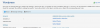 (the step after pressing: Administrative interface in the Administrative access entry points), it says continue:
  , i press it and nothing happens. Also, when i type: http://annatriandafyllidou.com/wp-admin (that this is the supposed link to log in, it doesnt work).
What is happening?
(the step after pressing: Administrative interface in the Administrative access entry points), it says continue: , i press it and nothing happens. Also, when i type: http://annatriandafyllidou.com/wp-admin (that this is the supposed link to log in, it doesnt work). What is happening?


