• Debian 11 is approaching its end-of-life (vendor EOL date - August 31, 2026). Plesk Obsidian 18.0.80 will be the last release to support it.
    If you are running Plesk Obsidian on Debian 11, we recommend you upgrade those servers to Debian 12 using our dist-upgrade tool.
  • We plan to deprecate and remove the support for XML RPC protocol versions earlier than 1.6.9.1 in Plesk Obsidian 18.0.82. We strongly recommend that you update all existing integrations using earlier versions of the XML RPC protocol to comply with the version 1.6.9.1 specification.

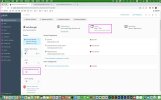
Question "Keep websites secured" is not enabled by default in Plesk SSL, should I enable "Keep websites secured"?

shucm11

New Pleskian
"Keep websites secured" is not enabled by default in Plesk SSL.
But my Let's Encrypt shows that the certificate is:

Valid To
May 7, 2022
Will be automatically renewed


should I enable "Keep websites secured"?
 

Attachments

  • Keep-websites-secured.jpg
    Keep-websites-secured.jpg
    211.9 KB · Views: 34
As you can read here Securing Connections with the SSL It! Extension

Note: If you secure a domain with an SSL/TLS certificate from Let’s Encrypt and then add new domains, subdomains, domain aliases, or webmail to the subscription, you can have SSL It! automatically secure them by reissuing the SSL/TLS certificate from Let’s Encrypt. To do so, go to Websites & Domains > your domain > SSL/TLS Certificates and turn on the Keep websites secured option.
So, enabling this option will secure and renew all new domains, subdomains, domain aliases, or webmail will be added to your main domain. But the certificate of this main domain will be renewed independently of this option.
 
Back
Top