• We value your experience with Plesk during 2025
    Plesk strives to perform even better in 2026. To help us improve further, please answer a few questions about your experience with Plesk Obsidian 2025.
    Please take this short survey:

    https://survey.webpros.com/

Question "Keep websites secured" is not enabled by default in Plesk SSL, should I enable "Keep websites secured"?

shucm11

New Pleskian
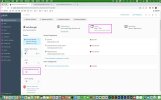
"Keep websites secured" is not enabled by default in Plesk SSL.
But my Let's Encrypt shows that the certificate is:

Valid To
May 7, 2022
Will be automatically renewed


should I enable "Keep websites secured"?
 

Attachments

  • Keep-websites-secured.jpg
    Keep-websites-secured.jpg
    211.9 KB · Views: 34
As you can read here Securing Connections with the SSL It! Extension

Note: If you secure a domain with an SSL/TLS certificate from Let’s Encrypt and then add new domains, subdomains, domain aliases, or webmail to the subscription, you can have SSL It! automatically secure them by reissuing the SSL/TLS certificate from Let’s Encrypt. To do so, go to Websites & Domains > your domain > SSL/TLS Certificates and turn on the Keep websites secured option.
So, enabling this option will secure and renew all new domains, subdomains, domain aliases, or webmail will be added to your main domain. But the certificate of this main domain will be renewed independently of this option.
 
Back
Top