
 Facebook
 Twitter
Hello,
I'm using Plesk Onyx Version 17.5.3 Update #43 on CentOS 7.4.
I have been trying to install a Let's Encrypt certificate for the Plesk Panel, but I get the following error:
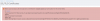
My Plesk Panel uses a subdomain URL like: https://subdomain.domain.nz (the main domain, 'domain.nz' is hosted on an entirely different server). I read something about using a subdomain for Plesk Panel being an issue in the past, but thought it was resolved?
Could it be something wrong with the URL that Let's Encrypt is fetching, i.e. it ends with:
...domain.nz:8443.well-known/acme-challenge...
Shouldn't there be a slash after 8443? If so, how would I resolve it?
Thanks in advance for any help you can provide.
I'm using Plesk Onyx Version 17.5.3 Update #43 on CentOS 7.4.
I have been trying to install a Let's Encrypt certificate for the Plesk Panel, but I get the following error:
My Plesk Panel uses a subdomain URL like: https://subdomain.domain.nz (the main domain, 'domain.nz' is hosted on an entirely different server). I read something about using a subdomain for Plesk Panel being an issue in the past, but thought it was resolved?
Could it be something wrong with the URL that Let's Encrypt is fetching, i.e. it ends with:
...domain.nz:8443.well-known/acme-challenge...
Shouldn't there be a slash after 8443? If so, how would I resolve it?
Thanks in advance for any help you can provide.


