• Debian 11 is approaching its end-of-life (vendor EOL date - August 31, 2026). Plesk Obsidian 18.0.80 will be the last release to support it.
    If you are running Plesk Obsidian on Debian 11, we recommend you upgrade those servers to Debian 12 using our dist-upgrade tool.
  • We plan to deprecate and remove the support for XML RPC protocol versions earlier than 1.6.9.1 in Plesk Obsidian 18.0.82. We strongly recommend that you update all existing integrations using earlier versions of the XML RPC protocol to comply with the version 1.6.9.1 specification.

Forwarded to devs lve manager not loaded 18.20

Hex

Regular Pleskian
Plesk Certified Professional
TITLE:
lve manager not loaded 18.20
PRODUCT, VERSION, OPERATING SYSTEM, ARCHITECTURE:
Obsidian 18.20
CL7.7
PROBLEM DESCRIPTION:
Before Upgrade from 18.19 to 18.20 , I was able to access Lve manager without issues.

After upgrading to 18.20, an infinite loop occurs when access to lve manager.​
STEPS TO REPRODUCE:
1- Run CL7.7
2- Upgrade to 18.20
3- Access to lve manager.​
ACTUAL RESULT:
imfhfekqd1-gif.15998
EXPECTED RESULT:
Main Lve manager page.


----------------------------------------------
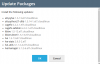
xFSosh9bBq.png
ANY ADDITIONAL INFORMATION:
I've tested the new CL lve updates (System updates) before upgrading Plesk and it is working without issues,
The problem present after upgrading Plesk to 18.20
* See screenshot above for system updates.
YOUR EXPECTATIONS FROM PLESK SERVICE TEAM:
Confirm bug
 

Attachments

  • ImfhFEKqd1.gif
    ImfhFEKqd1.gif
    231.2 KB · Views: 43
Thank you for report.
The issue is solved in the latest version: lvemanager.noarch 0:5.1.3-2.el7.cloudlinux
 
Hi,

facing a similar issue on Plesk Onyx (Patch Level 71) - LVE Manager not accessable. Red popup box with the following error code:

Error
The received data is wrong. Contact support for resolution. ERROR : (lvestats) Config /etc/sysconfig/lvestats2 not loadable: [Errno 2] No such file or directory: '/etc/sysconfig/lvestats2' ERROR : (lvestats) Unable to parse config /etc/sysconfig/lvestats2 ([Errno 2] No such file or directory: '/etc/sysconfig/lvestats2') Sentry is attempting to send 2 pending error messages Waiting up to 10 seconds Press Ctrl-C to quit

lvemanager.noarch 0:5.1.3-2.el7.cloudlinux package is installed.

Any other ideas ?

Best regards
 
Back
Top