• The new Python extension is now available. It allows customers to deploy and manage WSGI-based Python applications on their websites directly from Plesk.
  • The Plesk Mobile apps for iOS and Android and the Plesk Mobile Center extension have been deprecated, and are no longer available for new installations. In Plesk Obsidian 18.0.84, the Plesk Mobile Center extension will be removed from servers during the upgrade, and the Plesk Mobile apps will lose their server management features.
  • The Social Login extension has been deprecated and will be removed in Plesk Obsidian 18.0.84. After that, it will no longer be possible to log in to Plesk with a Google, Facebook, GitHub account, or with a passkey. Plesk usernames and passwords, as well as logging in with a WebPros Account, are not affected.

LVM problems?

synthetic5995

Basic Pleskian
I downloaded and install Plesk(x86_64) from:http://www.parallels.com/download/plesk/images/.

But this ISO software automatically partition my 300GB HDD to:

/dev/mapper/VolGroup-lv_root (50GB) - main use.
/dev/mapper/VolGroup-lv_home (250GB) - no use.

My question is: How to re-size this partition, because if VolGroup-lv_root has only 50GB, it's will be full very fast and waste capacity of our HDD.

P/s: Our system is running as a service, i don't want to stop our service.

Thank You so much!
 
Hello,

You will have to contact your System Admin they will reduce your LV VolGroup-lv_home and increase your VolGroup-lv_root partition and you should not face any issues with the current installation

Thanks
 
Actually, I'm the system admin :(

And how to "reduce your LV VolGroup-lv_home and increase your VolGroup-lv_root partition", i mean, do Plesk have some procedure to do that? Because i downloaded this ISO image from official page of Plesk and i cannot customize my HDD :(
 
This is home folder:

[root@xxx ~]# cd /home
[root@xxx home]# ls -al
total 32
drwxr-xr-x. 5 root root 4096 Apr 3 11:35 .
dr-xr-xr-x. 25 root root 4096 May 21 14:44 ..
drwxr-xr-x 2 root root 4096 Jun 6 2012 ftp
drwx------. 2 root root 16384 Apr 3 10:52 lost+found
drwxr-xr-x. 2 root root 4096 Apr 3 11:48 plesk
[root@xxx home]# cd plesk
[root@xxx plesk]# ls
autoinstaller3.log ok.flag parallels_installer_RedHat_el6_x86_64 update.flg
functions.in os.in pleskinst.sh

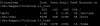
And this is disk info:
qwMTVP8.png
 
Hello,

I can see you have only 197MB data on your /home partition so you can delete that partition and create it again with some disk space, But please make sure take a backup of /home directory and stop all services before deleting your /home partition and than you can increased you main partition (/dev/mapper/VolGroup-lv_root )

Also check your /etc/fstab file once it's done so that you will not face issues when you reboot your server

Thanks
 
Back
Top