• The APS Catalog has been deprecated and removed from all Plesk Obsidian versions.
    Applications already installed from the APS Catalog will continue working. However, Plesk will no longer provide support for APS applications.
  • Please be aware: with the Plesk Obsidian 18.0.78 release, the support for the ngx_pagespeed.so module will be deprecated and removed from the sw-nginx package.

microsoft sql server database access

joseprincz

New Pleskian
Hi,

I created a microsoft sql server database in Plesk and cannot access it. Did it a couple of times with no success.

Any ideas?

Thanks
 
How did you try to access the MS SQL database?

I suggest to continue here as twitter allows only 140 symbols and usually it is not enough.
 
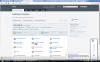
When I press open, as you can see in the first image, it sends me to a non-existant page as you can see in the second image. Captura de pantalla 2015-08-14 16.55.42.png Captura de pantalla 2015-08-14 17.00.44.png
 
Jose,

ping mssqlcior.org.ar
Ping request could not find host mssql.cior.org.ar. Please check the name and try again.

on the first image - cior.org.ar leads to 184.173.174.233

But now it's resolving to a different address:

C:\Users\amaslov>ping cior.org.ar

Pinging cior.org.ar [200.58.101.202] with 32 bytes of data:
Reply from 200.58.101.202: bytes=32 time=331ms TTL=109

If you need to open on your local pc then you need to edit hosts file and add

184.173.174.233 mssql.cior.org.ar
 
You are saying this because the DNS does not point to the right host?

I cannot create a database without the DNS pointing to the host?
 
Back
Top