Facebook
 Twitter
ScottAMains
New Pleskian
Hi folks.
I have migrated from plesk on my localhost to a DO droplet.
Currently having issues where none of my websites are opening at all.
NS all resolve to the new IP on DO, and all data has migrated over correctly from what I can see.
Issues:
* When typing in (example1.com) I get the "Web Server's Default Page"
* When typing (www.Example1.com) I get redirected to the "web admin edition" login screen
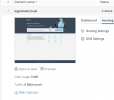
* When in plesk admin consol (plesk.page) 2 domains shows preview of web servers default page and one does not show anything at all.
With my domain registrar, I've changed NS1 & NS2 to point to the public IP of my DO droplet.
All DNS entries are pretty much standard in all the domain hosting and dns settings.
I have migrated from plesk on my localhost to a DO droplet.
Currently having issues where none of my websites are opening at all.
NS all resolve to the new IP on DO, and all data has migrated over correctly from what I can see.
Issues:
* When typing in (example1.com) I get the "Web Server's Default Page"
* When typing (www.Example1.com) I get redirected to the "web admin edition" login screen
* When in plesk admin consol (plesk.page) 2 domains shows preview of web servers default page and one does not show anything at all.
With my domain registrar, I've changed NS1 & NS2 to point to the public IP of my DO droplet.
All DNS entries are pretty much standard in all the domain hosting and dns settings.