• Debian 11 is approaching its end-of-life (vendor EOL date - August 31, 2026). Plesk Obsidian 18.0.80 will be the last release to support it.
    If you are running Plesk Obsidian on Debian 11, we recommend you upgrade those servers to Debian 12 using our dist-upgrade tool.
  • We plan to deprecate and remove the support for XML RPC protocol versions earlier than 1.6.9.1 in Plesk Obsidian 18.0.82. We strongly recommend that you update all existing integrations using earlier versions of the XML RPC protocol to comply with the version 1.6.9.1 specification.

Resolved ModSecurity and WordPress

MicheleB

Regular Pleskian
Hello,
every time I'm loggin on a WordPress installation I receive a lot of errors on ModSecurity audit log, for example:
Code:
[client {IP}] ModSecurity: Warning. Pattern match "^wordpress_logged_in_" at RESPONSE_HEADERS:Set-Cookie. [file "/etc/httpd/conf/modsecurity.d/rules/custom/000_i360_0.conf"] [line "124"] [id "33308"] [msg "IM360 WAF: Successfull WordPress login||T:APACHE||"] [tag "service_i360"] [tag "noshow"] [hostname "{wordpress url}"] [uri "/wp-login.php"] [unique_id "CdfRREssTgxxWAiife"], referer: https://{url}/wp-login.php

Is a normal behaviour or do I need to change something on Web Application Firewall?
Are there recommended settings for WordPress?
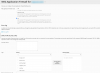
2020-04-17_22-02-03.png
 
I am not sure, but it seems like some pattern in cookies:

Pattern match "^wordpress_logged_in_" at RESPONSE_HEADERS:Set-Cookie.

Have you tried to check the issue with another browser or clear cookies?
 
Yes, I've tried with more browsers (Safari, Chrome, Firefox), with cookies cleared, with anonymous navigation, with different WP users, with different WP installations, etc... but on the error log of Web Application Firewall I always see the above "warning" for each login process.
The login process works good, I receive none error on the browser but I don't know if ModSecurity works good or have something configuration missing.
 
I am not sure, but it seems like some pattern in cookies:

Pattern match "^wordpress_logged_in_" at RESPONSE_HEADERS:Set-Cookie.

Have you tried to check the issue with another browser or clear cookies?


If I deactivate "service_i360" the login's errors disappear... what is "service_i360" and is safe to have it disabled?
2020-04-22_19-01-26.png
 
Back
Top