• We value your experience with Plesk during 2025
    Plesk strives to perform even better in 2026. To help us improve further, please answer a few questions about your experience with Plesk Obsidian 2025.
    Please take this short survey:

    https://survey.webpros.com/
  • On Plesk for Linux mod_status is disabled on upgrades to improve Apache security.
    This is a one-time operation that occurs during an upgrade. You can manually enable mod_status later if needed.

Resolved ModSecurity and WordPress

MicheleB

Regular Pleskian
Hello,
every time I'm loggin on a WordPress installation I receive a lot of errors on ModSecurity audit log, for example:
Code:
[client {IP}] ModSecurity: Warning. Pattern match "^wordpress_logged_in_" at RESPONSE_HEADERS:Set-Cookie. [file "/etc/httpd/conf/modsecurity.d/rules/custom/000_i360_0.conf"] [line "124"] [id "33308"] [msg "IM360 WAF: Successfull WordPress login||T:APACHE||"] [tag "service_i360"] [tag "noshow"] [hostname "{wordpress url}"] [uri "/wp-login.php"] [unique_id "CdfRREssTgxxWAiife"], referer: https://{url}/wp-login.php

Is a normal behaviour or do I need to change something on Web Application Firewall?
Are there recommended settings for WordPress?
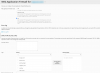
2020-04-17_22-02-03.png
 
I am not sure, but it seems like some pattern in cookies:

Pattern match "^wordpress_logged_in_" at RESPONSE_HEADERS:Set-Cookie.

Have you tried to check the issue with another browser or clear cookies?
 
Yes, I've tried with more browsers (Safari, Chrome, Firefox), with cookies cleared, with anonymous navigation, with different WP users, with different WP installations, etc... but on the error log of Web Application Firewall I always see the above "warning" for each login process.
The login process works good, I receive none error on the browser but I don't know if ModSecurity works good or have something configuration missing.
 
I am not sure, but it seems like some pattern in cookies:

Pattern match "^wordpress_logged_in_" at RESPONSE_HEADERS:Set-Cookie.

Have you tried to check the issue with another browser or clear cookies?


If I deactivate "service_i360" the login's errors disappear... what is "service_i360" and is safe to have it disabled?
2020-04-22_19-01-26.png
 
Back
Top