Facebook
 Twitter
GerdSchrewe
Regular Pleskian
I have a valid Comodo account that I use on 2 servers, Ubuntu 18.04, Plesk 17.8 Update #34.
Worked fine until 3 days ago. Then I got a mail that the Comodo ruleset can't be updated.
I tried to switch to OWASP ModSecurity and back again.
I uninstalled ModSecurity and reinstalled it using the Plesk installer.
I have Fail2Ban turned off and on.
I created a new Comodo account with different login password and username and have tried it.
Whenever I try to reactivate in Plesk web application firewall the Comodo ruleset, I get this error message:
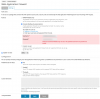
"The ModSecurity ruleset could not be installed: The specified username or password is invalid."
Login data is definitely correct
Thank you very much for help!
Translated with www.DeepL.com/Translator
Worked fine until 3 days ago. Then I got a mail that the Comodo ruleset can't be updated.
I tried to switch to OWASP ModSecurity and back again.
I uninstalled ModSecurity and reinstalled it using the Plesk installer.
I have Fail2Ban turned off and on.
I created a new Comodo account with different login password and username and have tried it.
Whenever I try to reactivate in Plesk web application firewall the Comodo ruleset, I get this error message:
"The ModSecurity ruleset could not be installed: The specified username or password is invalid."
Login data is definitely correct
Thank you very much for help!
Translated with www.DeepL.com/Translator