
 Facebook
 Twitter
I removed and installed ModSecurity again but now I get this error
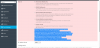
Failed to install the ModSecurity rule set: modsecurity_ctl failed: gpg: key 4520AFA9: "Atomicorp (Atomicorp Official Signing Key) <[email protected]>" not changed gpg: Total number processed: 1 gpg: unchanged: 1 gpg: assuming signed data in `/tmp/tmpb57X7z/aum-plesk-installer' gpg: Signature made Wed May 24 13:53:47 2017 CEST using RSA key ID 4520AFA9 gpg: BAD signature from "Atomicorp (Atomicorp Official Signing Key) <[email protected]>" Command '['gpg', '--homedir', '/var/lib/plesk/modsec/.gnupg', '--verify', '/tmp/tmpb57X7z/aum-plesk-installer.asc']' returned non-zero exit status 1 Unable to download tortix rule set
I can not turn it on
I use Ubuntu 16.04 and Odin Plesk 17
Failed to install the ModSecurity rule set: modsecurity_ctl failed: gpg: key 4520AFA9: "Atomicorp (Atomicorp Official Signing Key) <[email protected]>" not changed gpg: Total number processed: 1 gpg: unchanged: 1 gpg: assuming signed data in `/tmp/tmpb57X7z/aum-plesk-installer' gpg: Signature made Wed May 24 13:53:47 2017 CEST using RSA key ID 4520AFA9 gpg: BAD signature from "Atomicorp (Atomicorp Official Signing Key) <[email protected]>" Command '['gpg', '--homedir', '/var/lib/plesk/modsec/.gnupg', '--verify', '/tmp/tmpb57X7z/aum-plesk-installer.asc']' returned non-zero exit status 1 Unable to download tortix rule set
I can not turn it on
I use Ubuntu 16.04 and Odin Plesk 17


