Follow along with the video below to see how to install our site as a web app on your home screen.
Note: This feature may not be available in some browsers.
The APS Catalog has been deprecated and removed from all Plesk Obsidian versions. Applications already installed from the APS Catalog will continue working. However, Plesk will no longer provide support for APS applications.
Please be aware: with the Plesk Obsidian 18.0.78 release, the support for the ngx_pagespeed.so module will be deprecated and removed from the sw-nginx package.
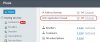
After install the ModSecurity Web Application Firewall for Apache no button for manageing module is displayed in plesk.
Installation was successful. How can I repair the button in plesk / webbased manage mod_security?
Ive checked http://kb.odin.com/en/121988 without succes, license showing mod_sec and fail2ban = On
Tryed als change lang to defaul, uninstall, install again in parallels installer, thats going fine but still no management tool in plesk
You might have to go to your parallels store and download the key for that install and re-upload it. I installed fail2ban and while it installed I could not see the button on the panel until I did that.
No offense Alexey. It's what I mentioned above. It happened to me with fail2ban. Download your key and re-upload it. You will be fine. I was told the same thing.
Thanks for suggestions. Ive reinstall license key, uninstall and install again, still no succes. Ive try fail2ban as well, this one is displayed in panel after installation so problem only effect mod_security here.
What could i try anymore to solve this problem?
show status
#plesk bin server_pref --show-web-app-firewall
enable in ON mode (so sec. rules are applied) with Atomic ruleset:
#plesk bin server_pref --update-web-app-firewall -waf-rule-engine on -waf-rule-set tortix