Follow along with the video below to see how to install our site as a web app on your home screen.
Note: This feature may not be available in some browsers.
The APS Catalog has been deprecated and removed from all Plesk Obsidian versions. Applications already installed from the APS Catalog will continue working. However, Plesk will no longer provide support for APS applications.
Please be aware: with the Plesk Obsidian 18.0.78 release, the support for the ngx_pagespeed.so module will be deprecated and removed from the sw-nginx package.
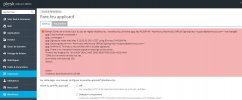
Applicable to: Plesk Onyx for Linux Plesk Onyx for Windows Symptoms The following error can be found in the Plesk Home page after the failed ModSecurity update: PLESK_ERROR: Error: Failed to u...
I obtained my Plesk license through OVH company, I don't buy Plesk licence directly.
Can I fix the problem in this case because I read on the article: 4. ...select the Atomic Advanced (bought from Plesk)... and 5. Contact Plesk Customer Success Team to terminate the license for Advanced ModSecurity Rules by Atomicorp ruleset. ?