
 Facebook
 Twitter
Hello,
we are doing this on Azure.
We added new HDD disk, after successful Plesk installation and we followed this guide https://talk.plesk.com/threads/how-to-add-multiple-disks.338079/
We used next command:
Before we changed directory everything was fine, but after changing directory new sites are giving Apache Test page:
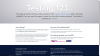
After this command:
All new and old websites are giving same apache test page after you open it.
We are using CentOS 7.2
#Update
Now we are trying on Ubuntu 16.04
#Update 2 (Ubuntu 16.04)
Now we face FTP problems and after you add domain there is no start page. Only:
"Forbidden
You don't have permission to access / on this server.
Additionally, a 403 Forbidden error was encountered while trying to use an ErrorDocument to handle the request."
#Update 3 (CentOS 7.2)
Trying to create virtual machine without additional HDD/SSD.
#Update 4 (CentOS 7.2)
Same issues
#Update 5
Okay, it took only one day to realise we forgot to open ports
we are doing this on Azure.
We added new HDD disk, after successful Plesk installation and we followed this guide https://talk.plesk.com/threads/how-to-add-multiple-disks.338079/
We used next command:
Code:
/usr/local/psa/bin/transvhosts.pl --dest-dir /var/www/xeodiskBefore we changed directory everything was fine, but after changing directory new sites are giving Apache Test page:
After this command:
Code:
/usr/local/psa/admin/bin/httpdmng —reconfigure-allWe are using CentOS 7.2
#Update
Now we are trying on Ubuntu 16.04
#Update 2 (Ubuntu 16.04)
Now we face FTP problems and after you add domain there is no start page. Only:
"Forbidden
You don't have permission to access / on this server.
Additionally, a 403 Forbidden error was encountered while trying to use an ErrorDocument to handle the request."
#Update 3 (CentOS 7.2)
Trying to create virtual machine without additional HDD/SSD.
#Update 4 (CentOS 7.2)
Same issues
#Update 5
Okay, it took only one day to realise we forgot to open ports
Last edited:

