Follow along with the video below to see how to install our site as a web app on your home screen.
Note: This feature may not be available in some browsers.
The APS Catalog has been deprecated and removed from all Plesk Obsidian versions. Applications already installed from the APS Catalog will continue working. However, Plesk will no longer provide support for APS applications.
Please be aware: with the Plesk Obsidian 18.0.78 release, the support for the ngx_pagespeed.so module will be deprecated and removed from the sw-nginx package.
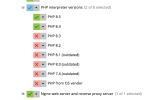
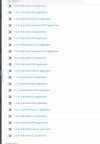
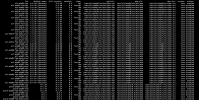
Hi, @weareimpulse . Most likely the "TuxCare Extended Lifecycle Support for PHP" extension has been installed on your server. Please navigate to Extensions > My extensions to double-check. Could you please also connect to the server and execute the following command:
Thank you for the confirmation. Do you happen to have Imunify installed on the server? I consulted with our team and one of our devs suggested that this looks like quite similar to the way Imunify behaves.
Hello,
I Have exactly the same problem as named above and yes I have imunyfy360 installed.
I have hardened php installed and then they installed also the other versions of php, when you disable/ uninstall hardened php of imunify then they are gone.
Thank you for the insights, @rsnetworks . Indeed. these are CloudLinux handlers that added for legacy PHP versions when the Hardened-PHP feature is enabled.
Hello,
I Have exactly the same problem as named above and yes I have imunyfy360 installed.
I have hardened php installed and then they installed also the other versions of php, when you disable/ uninstall hardened php of imunify then they are gone.