Follow along with the video below to see how to install our site as a web app on your home screen.
Note: This feature may not be available in some browsers.
We value your experience with Plesk during 2025 Plesk strives to perform even better in 2026. To help us improve further, please answer a few questions about your experience with Plesk Obsidian 2025. Please take this short survey: https://survey.webpros.com/
On Plesk for Linux mod_status is disabled on upgrades to improve Apache security. This is a one-time operation that occurs during an upgrade. You can manually enable mod_status later if needed.
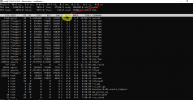
2. Log in to Plesk and go to Tools & Settings > Database servers > click on the number of databases.
3. Identify the subscription associated with the database from step 1
4. Kill the slow queries by their ID from step 1:
# plesk db "kill ID"
5. Suspend the subscription where the identified database is registered to decrease CPU load.
6. Contact website developers to review slow SQL queries and fix the issue.