Follow along with the video below to see how to install our site as a web app on your home screen.
Note: This feature may not be available in some browsers.
The APS Catalog has been deprecated and removed from all Plesk Obsidian versions. Applications already installed from the APS Catalog will continue working. However, Plesk will no longer provide support for APS applications.
Please be aware: with the Plesk Obsidian 18.0.78 release, the support for the ngx_pagespeed.so module will be deprecated and removed from the sw-nginx package.
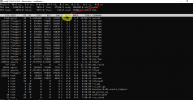
2. Log in to Plesk and go to Tools & Settings > Database servers > click on the number of databases.
3. Identify the subscription associated with the database from step 1
4. Kill the slow queries by their ID from step 1:
# plesk db "kill ID"
5. Suspend the subscription where the identified database is registered to decrease CPU load.
6. Contact website developers to review slow SQL queries and fix the issue.