
 Facebook
 Twitter
Hello!
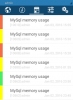
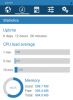
After installing the Android app on my phone, i noticed the alerts tab is showing yellow and red for MySQL memory usage. (I can't seem to find any similar information in the web browser based control panel.) The stats tab shows there should probably be enough memory available on the server. (Screenshots attached)
Google suggests this as a top hit for addressing MySQL memory issues, but wanted to touch base here first before attempting to tweak:
https://www.percona.com/blog/2014/01/24/mysql-server-memory-usage-2/
Just looking for someone to point me in the right direction. I know memory management can open up pandoras box.
Version Plesk v12.5.30_build1205150826.19 os_Ubuntu 14.04
OS Ubuntu 14.04.3 LTS
Thank you!!!
After installing the Android app on my phone, i noticed the alerts tab is showing yellow and red for MySQL memory usage. (I can't seem to find any similar information in the web browser based control panel.) The stats tab shows there should probably be enough memory available on the server. (Screenshots attached)
Google suggests this as a top hit for addressing MySQL memory issues, but wanted to touch base here first before attempting to tweak:
https://www.percona.com/blog/2014/01/24/mysql-server-memory-usage-2/
Just looking for someone to point me in the right direction. I know memory management can open up pandoras box.
Version Plesk v12.5.30_build1205150826.19 os_Ubuntu 14.04
OS Ubuntu 14.04.3 LTS
Thank you!!!

