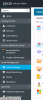
F Fran New Pleskian Mar 21, 2018 #1 Hi. I'm new to Plesk and Im trying to find out where is the extension button. Here you have a screenshot of my control panel. Anyone knows where is it? Thank you
Hi. I'm new to Plesk and Im trying to find out where is the extension button. Here you have a screenshot of my control panel. Anyone knows where is it? Thank you
IgorG Plesk addicted! Plesk Certified Professional Mar 21, 2018 #2 It's strange. Maybe uncompleted installation/upgrade? Try to fix it with # plesk installer --select-release-current --reinstall-patch --upgrade-installed-components # plesk repair installation
It's strange. Maybe uncompleted installation/upgrade? Try to fix it with # plesk installer --select-release-current --reinstall-patch --upgrade-installed-components # plesk repair installation
F Fran New Pleskian Mar 25, 2018 #3 Hi, thank you for answering, it looks there is a bug when installing plesk in the latest version and you have to do it manually using this command: plesk bin extension -i "%plesk_dir%var\ext-catalog.zip" Here you have the url reference: The Extensions menu is missing after the upgrade from Onyx 17.5 to Onyx 17.8 on Windows Regards
Hi, thank you for answering, it looks there is a bug when installing plesk in the latest version and you have to do it manually using this command: plesk bin extension -i "%plesk_dir%var\ext-catalog.zip" Here you have the url reference: The Extensions menu is missing after the upgrade from Onyx 17.5 to Onyx 17.8 on Windows Regards