Follow along with the video below to see how to install our site as a web app on your home screen.
Note: This feature may not be available in some browsers.
We value your experience with Plesk during 2025 Plesk strives to perform even better in 2026. To help us improve further, please answer a few questions about your experience with Plesk Obsidian 2025. Please take this short survey: https://survey.webpros.com/
Hi,
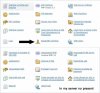
I have some strange situations.. In the server of my friend in every domain he the opportunity to modify the Bandwidth Limiting. In my server this option no visible.. You see image..
Thhanks Igor, but I have installed the component Bandwidth Limiter For Apache support (mod_bw) and I NO HAVE VISIBLE the option Bandwidth Limiter.. My friends NO HAVE installed the component Bandwidth Limiter For Apache support (mod_bw) and is visible the option Bandwidth Limiter..
Check that this module is enabled in Home>Tools & Settings>Apache Web Server Settings and you have enabled "Hosting performance settings management" permission in subscription settings.
I tried. All permissions are enabled, but the option is not visible. I not understand why in the server of the my friend without all those permissions enable the option is visible.