Follow along with the video below to see how to install our site as a web app on your home screen.
Note: This feature may not be available in some browsers.
The APS Catalog has been deprecated and removed from all Plesk Obsidian versions. Applications already installed from the APS Catalog will continue working. However, Plesk will no longer provide support for APS applications.
Please be aware: with the Plesk Obsidian 18.0.78 release, the support for the ngx_pagespeed.so module will be deprecated and removed from the sw-nginx package.
The old Imunify extension was retired. There is only Imunif360 now. Depending on the license that you activate, you have Imunify360 with only ImunifyAV+ or the full Imunify360.
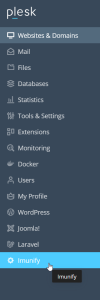
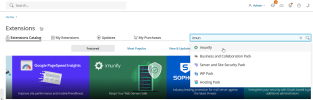
Nein, ich habe nicht den imunify360-Button wie auf Ihrem Bild in Plesk. Unter den Erweiterungen ist nur ein Imunify - ImunifyAV+ 5,83 € zu installieren.
Dann gibt es ein Problem. Die Lizenz kann nur mit PayPal oder Kreditkarte bestellt werden. Ich habe nicht beides, mache alles normal per Banküberweisung
Do you have the handlers in Tools & Settings > General settings: PHP settings? Once you do, you should also be able to see the alt-php settings in the website PHP settings.
Die PHP-Installation von imunify ist schon lange abgeschlossen, aber unter Tools & Einstellungen -> Allgemeine Einstellungen -> PHP-Einstellungen sind nicht ältere PHP 7-Versionen Nur PHP 7.4-Version ist da.