• Halloween is coming! To celebrate the occasion, we dusted off a couple of old skins, and even created a brand new one (Pixel).
    To get into the festive spirit, install the Skins extension.
  • The new Python extension is now available. It allows customers to deploy and manage WSGI-based Python applications on their websites directly from Plesk.
  • The Plesk Mobile apps for iOS and Android and the Plesk Mobile Center extension have been deprecated, and are no longer available for new installations. In Plesk Obsidian 18.0.84, the Plesk Mobile Center extension will be removed from servers during the upgrade, and the Plesk Mobile apps will lose their server management features.
  • The Social Login extension has been deprecated and will be removed in Plesk Obsidian 18.0.84. After that, it will no longer be possible to log in to Plesk with a Google, Facebook, GitHub account, or with a passkey. Plesk usernames and passwords, as well as logging in with a WebPros Account, are not affected.

Please help - 404 Error with Stats

E

easygoer

Guest
I am not very technical and trying to host my website for the first time on a Virtual Dedicated server through Godaddy.com. I am unable to bring up any type of stats when I click on Web Stats or FTP Stats icons in Domain control panel. I have activated PERL, PHP and tried both Webalizer and AWStats but get the 404 Page error in IE with either one.

The Plesk license that was provided with the server was a 30 domain version. Could this be because I have a limited license of Plesk installed on the Virtual dedicated server which does not support Webstats? I would really appreciate any type of help. TIA.
 
Hi,

Webstats(webalizer+awstats) are always supported regardless of the license type.

Check if there files in %plesk_vhosts%\domain.com\statistics\webstat directory.

Try to run %plesk_bin%\statistics.exe to recalculate statistics.
 
easygoer

Usually 404 not found errors are caused by the matter of fact that index.html file is absent. It is actually created after statistic calculation and updated on the next one. So just try running statistic utility manually as adviced previously. This should work.
 
Hi,

Webstats(webalizer+awstats) are always supported regardless of the license type.

Check if there files in %plesk_vhosts%\domain.com\statistics\webstat directory.

Try to run %plesk_bin%\statistics.exe to recalculate statistics.

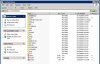
Thanks for your response. Could you please explain where is this directory located? My Plesk folder is located under C:\SWSoft and there is no Domain.com directory there, if that is what you mean. I have attached a screenshot.

Also, my website was setup by the developers under c:\applications\www.domain.com. Does that make a difference? Do I have to let awstats somehow know where the site files are located?
 

Attachments

  • plesk.jpg
    plesk.jpg
    60.9 KB · Views: 44
easygoer

Actually %plesk_bin% and %plesk_vhosts% are just environmental variables used by Plesk. Default values are the following:

%plesk_bin% = C:\Program Files\SWSoft\Plesk\admin\bin
%plesk_vhosts% = C:\Inetpub\vhosts

You can find the full list of environmental variables under Right click on My Computer > Properties > Advanced > Environmental variables
 
Back
Top