Follow along with the video below to see how to install our site as a web app on your home screen.
Note: This feature may not be available in some browsers.
The APS Catalog has been deprecated and removed from all Plesk Obsidian versions. Applications already installed from the APS Catalog will continue working. However, Plesk will no longer provide support for APS applications.
Please be aware: with the Plesk Obsidian 18.0.78 release, the support for the ngx_pagespeed.so module will be deprecated and removed from the sw-nginx package.
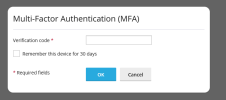
I lost access to my google Authenticator a,d i cannot access to VPS after logging because is prompted for a MultiFactor Authetication MFA code.
any way to resolve this problem with ssh and disable this extension MFA ?
thanks
Hello Sebahat
I try to
1- Connect to ssh
2- Run : plesk bin extension --disable mfa from /mnt/opt/psa/bin/extension
3- Result ==> error : "-bash: plesk: command not found"
It's very hard to detect the file of MFA in PLESK or to list all extensions and then disable it .
That's strange. If the Plesk command line utility is not detected by the system you likely have some packages missing or the PATH variable is incorrect. Could you please try running the command from /usr/sbin/ as follows: