Facebook
 Twitter
Jürgen_T
Regular Pleskian
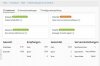
I have installed the Plesk E-Mail Security Extension and take advantage of amavis. I have also installed separately the ClamAV what works fine via cron-commad i.e. but is shown as "stopped" in the new Plesk E-Mail Security Dashboard.
I integrated ClamAV by adding:
@bypass_virus_checks_maps = (
\%bypass_virus_checks, \@bypass_virus_checks_acl, \$bypass_virus_checks_re);
to
etc/amavis/conf.d/15-content_filter_mode
1. Do I have to add something to an additional Plesk conf-file to get ClamAV shown as running in the Dashboard (see Attachement)?
I integrated ClamAV by adding:
@bypass_virus_checks_maps = (
\%bypass_virus_checks, \@bypass_virus_checks_acl, \$bypass_virus_checks_re);
to
etc/amavis/conf.d/15-content_filter_mode
1. Do I have to add something to an additional Plesk conf-file to get ClamAV shown as running in the Dashboard (see Attachement)?