• Debian 11 is approaching its end-of-life (vendor EOL date - August 31, 2026). Plesk Obsidian 18.0.80 will be the last release to support it.
    If you are running Plesk Obsidian on Debian 11, we recommend you upgrade those servers to Debian 12 using our dist-upgrade tool.
  • We plan to deprecate and remove the support for XML RPC protocol versions earlier than 1.6.9.1 in Plesk Obsidian 18.0.82. We strongly recommend that you update all existing integrations using earlier versions of the XML RPC protocol to comply with the version 1.6.9.1 specification.

Issue Plesk Firewall

Dork

Regular Pleskian
Server operating system version
CentOS Linux 7.9.2009
Plesk version and microupdate number
Plesk Obsidian Version 18.0.56 Update #1
Tools & Settings > Firewall > Enable Firewall Rules Management >
is not displayed.
What's going wrong?
 
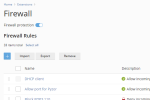
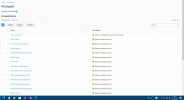
Tools & Settings > Firewall > Enable Firewall
but not the link: Rules Management
 
It's hard to tell from your (limited) description what going on. Can you post a screen shot?
 
Sorry, but there is nothingto post.
It's simply the link Rules Management that is not there.
I de- and reinstalled the Firewall but it had no effect.
 
@Dork, thank you, but I meant a screenshot of your system. We just don't know what you see. This is also what I meant by my initial "what's displayed instead" question and Kaspar's "can you post a screenshot".
 
The help article is referring to the old version of the firewall extension. That's all, it's just outdated.
 
I followed the Plesk docu and runed into trouble.
So I think it's not a good idea to change the version of a software and not to change the related part of the documentation
 
Back
Top