
 Facebook
 Twitter
- Server operating system version
- Debian
- Plesk version and microupdate number
- 18.0.52
I am installing the 360 agent on all the servers and it gives me no errors except this one
SO
Debian 10.13
Producto
Plesk Obsidian
Versión 18.0.52 Actualización 3, última actualización el 18/Mayo/2023 06:26
----
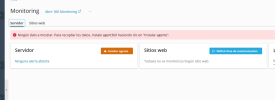 No ha sido posible instalar o actualizar agent360.
SO
Debian 10.13
Producto
Plesk Obsidian
Versión 18.0.52 Actualización 3, última actualización el 18/Mayo/2023 06:26
----
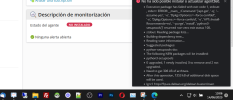
No ha sido posible instalar o actualizar agent360.- Execution package has failed with exit code 1, stdout: , stderr: ERROR:__main__:Command '['apt-get', '-q', '--assume-yes', '-o', 'Dpkg::Options::=--force-confdef', '-o', 'Dpkg::Options::=--force-confold', '-o', 'APT::Install-Recommends=no', '--purge', 'install', 'python3-setuptools']' returned non-zero exit status 100.
- stdout: Reading package lists...
- Building dependency tree...
- Reading state information...
- Suggested packages:
- python-setuptools-doc
- The following NEW packages will be installed:
- python3-setuptools
- 0 upgraded, 1 newly installed, 0 to remove and 2 not upgraded.
- Need to get 306 kB of archives.
- After this operation, 1353 kB of additional disk space will be used.
- Ign:1 Index of /debian buster/main amd64 python3-setuptools all 40.8.0-1
- Err:1 Index of /debian buster/main amd64 python3-setuptools all 40.8.0-1
- Could not connect to ftp.es.debian.org:80 (130.89.148.12), connection timed out
- stderr:E: Failed to fetch http://ftp.es.debian.org/debian/pool/main/p/python-setuptools/python3-setuptools_40.8.0-1_all.deb Could not connect to ftp.es.debian.org:80 (130.89.148.12), connection timed out
- E: Unable to fetch some archives, maybe run apt-get update or try with --fix-missing?

