Facebook
 Twitter
SacAutos
Regular Pleskian
A week or so ago I updated my CentOS 6.9 server from the previous edition of Plesk to 17.8.11. All went smoothly. However, today I have found an issue with the log files.
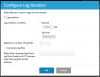
I archive all my website log files quarterly on a manual basis. So I have the log rotation for turned off. That had allowed the access_log.processed and access_ssl_log.processed files to accumulate on a daily basis. Then, at the end of each quarter, I zip them up and archive them for historical purposes.
Today I happened to look at my logs. They are not accumulating. Instead, it appears that the ".processed" files are the previous day's activity.
Something changed as a result of the update. How do I restore the previous behavior?
I archive all my website log files quarterly on a manual basis. So I have the log rotation for turned off. That had allowed the access_log.processed and access_ssl_log.processed files to accumulate on a daily basis. Then, at the end of each quarter, I zip them up and archive them for historical purposes.
Today I happened to look at my logs. They are not accumulating. Instead, it appears that the ".processed" files are the previous day's activity.
Something changed as a result of the update. How do I restore the previous behavior?