Follow along with the video below to see how to install our site as a web app on your home screen.
Note: This feature may not be available in some browsers.
The APS Catalog has been deprecated and removed from all Plesk Obsidian versions. Applications already installed from the APS Catalog will continue working. However, Plesk will no longer provide support for APS applications.
Please be aware: with the Plesk Obsidian 18.0.78 release, the support for the ngx_pagespeed.so module will be deprecated and removed from the sw-nginx package.
Okay, i found the solution by myself. Sorry for bothering you with my newbie questions. I am just using server just since some days
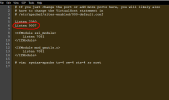
But with the hope that it can help someone... Ports are being regulated by apache (idk what's that actually). What i did is just added Listen 9007 to 000-default.conf
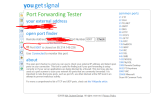
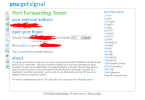
That website for the port checker says the port 9007 is open but the script which i want to install says it is not. Because 000-default.conf can regulates the ip adress of my server only. So if i put myipadress:9007 then i can navigate to my default page. So port is for the ip open. But how can i open the ports for domains too?
If a "port is open", it means that it can be addressed, traffic is not blocked. This does not mean that a service is reacting on the port. If a port is closed, a service could be actively waiting on traffic on that port, but as the port is blocked it cannot be reached. So what you mentioned above is that you told Apache to listen on port 9007. This does not necessarily mean that this port can be reached, because there could still be a blockade.
Your question how to open ports for domains is probably how to tell Apache to listen on specific ports for specific domains, right?