Facebook
 Twitter
Ian Bélisle
New Pleskian
TITLE:
 ACTUAL RESULT:
EXPECTED RESULT:
Problem accessing wordpress site in Plesk - Maintenance mode
PRODUCT, VERSION, OPERATING SYSTEM, ARCHITECTURE:Osidian
PROBLEM DESCRIPTION:Hi,
I don't know how this happen.
I have latest version of plesk obsidian.18.0.15
I do not have Wordpress tool kit.
I did install Wordpress with the application tab on Plesk.
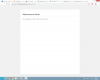
No 1 of my website is showing
Maintenance Mode
We're updating our website. Please check back soon.
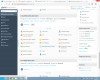
In
WordPress
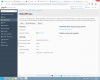
If I click on any of these options
Administrative access entry points
Administrative interface
Public access entry points
Blog
It is transfering me to the maintenance page.
Cant' access my Wp-admin page either
Every option I touch in the wordpress app is crashin my plesk server with all my domain
STEPS TO REPRODUCE:I don't know how this happen.
I have latest version of plesk obsidian.18.0.15
I do not have Wordpress tool kit.
I did install Wordpress with the application tab on Plesk.
No 1 of my website is showing
Maintenance Mode
We're updating our website. Please check back soon.
In
WordPress
If I click on any of these options
Administrative access entry points
Administrative interface
Public access entry points
Blog
It is transfering me to the maintenance page.
Cant' access my Wp-admin page either
Every option I touch in the wordpress app is crashin my plesk server with all my domain
EXPECTED RESULT:
Remove the maintenance mode
ANY ADDITIONAL INFORMATION:
YOUR EXPECTATIONS FROM PLESK SERVICE TEAM:Help with sorting out