• Debian 11 is approaching its end-of-life (vendor EOL date - August 31, 2026). Plesk Obsidian 18.0.80 will be the last release to support it.
    If you are running Plesk Obsidian on Debian 11, we recommend you upgrade those servers to Debian 12 using our dist-upgrade tool.
  • We plan to deprecate and remove the support for XML RPC protocol versions earlier than 1.6.9.1 in Plesk Obsidian 18.0.82. We strongly recommend that you update all existing integrations using earlier versions of the XML RPC protocol to comply with the version 1.6.9.1 specification.

Question Publish a Web API using .NET Core

fabio.florencio

New Pleskian
Server operating system version
Ubuntu 22.04.4 LTS
Plesk version and microupdate number
Plesk Obsidian Version 18.0.59 Update #2
Hi, there.

How do I publish a Web API developed in .NET Core? I already tested succefully Web Application, so the extension is installed without any issues.

Here is the error I get
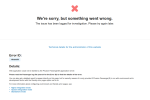
1713051925083.png
Just to confirm: is it possible to publish a Web API in Plesh, using .NET Core?

Thanks in advance.
 
Hi! I have the same issue, while before a recent plesk update everything was working fine.
Version before was 18.0.45

I was following this guide:
.Net Application Hosting in Plesk


Error Log:

Error: Unable to find the directory /var/www/vhosts/.../.../tmp: filemng failed: filemng: stat failed: No such file or directory System error 2: No such file or directory

22448/Tf age/Cor/App/Implementation.cpp:221: Could not spawn process for application /var/www/vhosts/.../...: The application process exited prematurely.
22448/Tp age/Cor/App/Implementation.cpp:221: Could not spawn process for application /var/www/vhosts/.../...: The application process exited prematurely.
 
So i finally got this running (but i dont understand why) by just changing the folder structure.
Plesk Version 18.0.60
.Net Toolkit 2.1.12-2046

I copied this from the .net sample application you can create with plesk
api.at/webapp
api.at/index.html

Then i put the publish files from my application into the webapp folder.

In the .net settings:
Application URL
api.at
Application root
/api.at/webapp
Document root
/api.at/webapp/wwwroot
Application startup file
/api.at/webapp/application.dll
 
Back
Top