K karyo New Pleskian Jun 12, 2022 #1 Server operating system version 18.04.6 LTS Plesk version and microupdate number 18.0.44 Update #2 Hello I installed and activated Python according to this article. But when I run the code, it gives a 500 error.
Hello I installed and activated Python according to this article. But when I run the code, it gives a 500 error.
M Maarten Golden Pleskian Plesk Guru Jun 12, 2022 #2 Hi, Error 500 is a scripting issue. Please check the Apache error_log for more info on this problem: Subscription -> Logs -> error_log
Hi, Error 500 is a scripting issue. Please check the Apache error_log for more info on this problem: Subscription -> Logs -> error_log
K karyo New Pleskian Jun 12, 2022 #3 maartenv said: Hi, Error 500 is a scripting issue. Please check the Apache error_log for more info on this problem: Subscription -> Logs -> error_log Click to expand... AH01276: Cannot serve directory /var/www/vhosts/site.com/httpdocs/: No matching DirectoryIndex (index.html,index.cgi,index.pl,index.php,index.xhtml,index.htm,index.shtml) found, and server-generated directory index forbidden by Options directive
maartenv said: Hi, Error 500 is a scripting issue. Please check the Apache error_log for more info on this problem: Subscription -> Logs -> error_log Click to expand... AH01276: Cannot serve directory /var/www/vhosts/site.com/httpdocs/: No matching DirectoryIndex (index.html,index.cgi,index.pl,index.php,index.xhtml,index.htm,index.shtml) found, and server-generated directory index forbidden by Options directive
M Maarten Golden Pleskian Plesk Guru Jun 13, 2022 #4 According to the mod_python docs you can solve this with an .htaccess file in the httpdocs folder: Code: <Directory /some/directory/httpdocs> AddHandler mod_python .py </Directory>
According to the mod_python docs you can solve this with an .htaccess file in the httpdocs folder: Code: <Directory /some/directory/httpdocs> AddHandler mod_python .py </Directory>
K karyo New Pleskian Jun 13, 2022 #5 maartenv said: According to the mod_python docs you can solve this with an .htaccess file in the httpdocs folder: Code: <Directory /some/directory/httpdocs> AddHandler mod_python .py </Directory> Click to expand... Gives an error of 500 again No errors were recorded in the log file
maartenv said: According to the mod_python docs you can solve this with an .htaccess file in the httpdocs folder: Code: <Directory /some/directory/httpdocs> AddHandler mod_python .py </Directory> Click to expand... Gives an error of 500 again No errors were recorded in the log file
M Maarten Golden Pleskian Plesk Guru Jun 13, 2022 #6 What are the contents of your httpdocs? Is there an index.py? If there is, have a look at this, it allows you to add the index.py handler: https://support.plesk.com/hc/en-us/articles/214528485-Cannot-access-a-website-directory-in-Plesk-403-Forbidden
What are the contents of your httpdocs? Is there an index.py? If there is, have a look at this, it allows you to add the index.py handler: https://support.plesk.com/hc/en-us/articles/214528485-Cannot-access-a-website-directory-in-Plesk-403-Forbidden
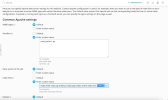
K karyo New Pleskian Jun 13, 2022 #7 maartenv said: What are the contents of your httpdocs? Is there an index.py? If there is, have a look at this, it allows you to add the index.py handler: https://support.plesk.com/hc/en-us/articles/214528485-Cannot-access-a-website-directory-in-Plesk-403-Forbidden Click to expand...
maartenv said: What are the contents of your httpdocs? Is there an index.py? If there is, have a look at this, it allows you to add the index.py handler: https://support.plesk.com/hc/en-us/articles/214528485-Cannot-access-a-website-directory-in-Plesk-403-Forbidden Click to expand...