
 Facebook
 Twitter
I have created a scheduled task as per my application guide as in the attached file. When i recieve the email it says the following:
: /var/www/vhosts/testdomain.co.uk/clients/admin/cron.php: No such file or directory
i have also tried appending:
php -q
wget -O (using the http to the location to cron.php)
Nothing seems to work.
I have transfered from cpanel and this is my first scheduled task and not getting anywhere with very little information on how to do this.
Im running:
Plesk 12
Linux
Thanks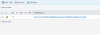
: /var/www/vhosts/testdomain.co.uk/clients/admin/cron.php: No such file or directory
i have also tried appending:
php -q
wget -O (using the http to the location to cron.php)
Nothing seems to work.
I have transfered from cpanel and this is my first scheduled task and not getting anywhere with very little information on how to do this.
Im running:
Plesk 12
Linux
Thanks


