• The APS Catalog has been deprecated and removed from all Plesk Obsidian versions.
    Applications already installed from the APS Catalog will continue working. However, Plesk will no longer provide support for APS applications.
  • Please be aware: with the Plesk Obsidian 18.0.78 release, the support for the ngx_pagespeed.so module will be deprecated and removed from the sw-nginx package.

Issue Server Error 403 Forbidden You do not have permission to access this document.

Whenever I Want To Change Permalinks Settings, The Site Shows "Server Error 403 Forbidden You do not have permission to access this document." I Also Changed Files Permission in File Manager, And Had Block ModSecurity. But Problem Cannot Solved.
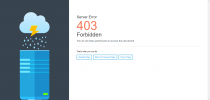
site.png
 
Yes same Problem here.
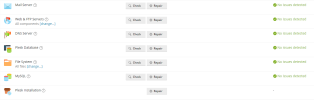
I even tried in Settings under Diagnosis and repair and everything was fine....
Even double checked my index.html and everything worked fine....Screenshot_6.png
 
What do you exactly mean with "Change Permalinks Settings"?

Did you try to look the error logs of the website?

403 Forbidden could appear for a lot of reasons.
Maybe you have a misconfiguration in your .htaccess file that produce this error.
 
Back
Top