Facebook
 Twitter
F
FredCa
Guest
Hello,
I have a server with plesk 10.1.1 installed. The server use ubuntu 10.0.4.
I have installed wordpress 3.2.1 multiuser and choose subdomains for the blogs url.
But when i'm going to a subdomain of my website (we'll say my website name is mysite.net) for exemple test.mysite.net, I see the website that is installed in "httpdocs" folder (not mysite.net) and not the blog I've created with wordpress. The website mysite.net is working but not the subdomains.
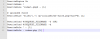
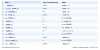
You can see a my dns, htaccess file and the change I made on the server with putty on the attached files.
I've changes this file on my server with putty:
vi /var/www/vhosts/mysite.net/conf/vhost.conf
But it's not working...
Please help me I'm struggling making it working.
Thanks
I have a server with plesk 10.1.1 installed. The server use ubuntu 10.0.4.
I have installed wordpress 3.2.1 multiuser and choose subdomains for the blogs url.
But when i'm going to a subdomain of my website (we'll say my website name is mysite.net) for exemple test.mysite.net, I see the website that is installed in "httpdocs" folder (not mysite.net) and not the blog I've created with wordpress. The website mysite.net is working but not the subdomains.
You can see a my dns, htaccess file and the change I made on the server with putty on the attached files.
I've changes this file on my server with putty:
vi /var/www/vhosts/mysite.net/conf/vhost.conf
But it's not working...
Please help me I'm struggling making it working.
Thanks