
 Facebook
 Twitter
I'm trying to setup two slave DNS servers to use exclusively for all domains in my system.
I followed a combination of docs on the subject at:
https://devblog.plesk.com/2013/10/slave-dns-and-plesk/ (the link provided inside Plesk on the setup page)
https://docs.plesk.com/en-US/12.5/extensions-guide/setting-up-a-slave-dns-server/
http://download1.parallels.com/Ples...inistrator-guide/index.htm?fileName=72230.htm
I've added the two nameservers via the extension in the Plesk admin area, added the text as instructed to the '/etc/named.conf' on both, setup the nameservers at the registrar and pointed a domain to it.
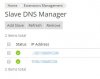
Plesk "says" it's ok with a green check next to each nameserver.
I'v applied the dns template to all zones.
The pointed domain name nor the nameservers are found.
I've also set Plesk as a slave to see if it made a difference and it doesn't.
The only thing I did change from all the docs is the line in named:
to
because named would not start the way rndc-key is phrased in the first line.
"dig" seems to work when I use the local server IP but not if I use either of the assigned IPs.
Any help is greatly appreciated.
OF NOTE:
Plesk, NS1 and NS2 are all running in OpenVZ containers on CentOS 6.7 X86_64
Plesk 12.5, Bind 9.8.2
Thank you!
I followed a combination of docs on the subject at:
https://devblog.plesk.com/2013/10/slave-dns-and-plesk/ (the link provided inside Plesk on the setup page)
https://docs.plesk.com/en-US/12.5/extensions-guide/setting-up-a-slave-dns-server/
http://download1.parallels.com/Ples...inistrator-guide/index.htm?fileName=72230.htm
I've added the two nameservers via the extension in the Plesk admin area, added the text as instructed to the '/etc/named.conf' on both, setup the nameservers at the registrar and pointed a domain to it.
Plesk "says" it's ok with a green check next to each nameserver.
I'v applied the dns template to all zones.
The pointed domain name nor the nameservers are found.
I've also set Plesk as a slave to see if it made a difference and it doesn't.
The only thing I did change from all the docs is the line in named:
Code:
inet * port 953 allow { 172.10.10.1; 127.0.0.1; } keys { "rndc-key"; "rndc-key-172.10.10.10"; };
Code:
inet * port 953 allow { 172.10.10.1; 127.0.0.1; } keys { "rndc-key-172.10.10.1"; };"dig" seems to work when I use the local server IP but not if I use either of the assigned IPs.
Any help is greatly appreciated.
OF NOTE:
Plesk, NS1 and NS2 are all running in OpenVZ containers on CentOS 6.7 X86_64
Plesk 12.5, Bind 9.8.2
Thank you!


